
Staff Stations
Staff and volunteers sign in with individual PINs and use a browser on the museum's network to search approved collection information and see their pending work.
Collection management for small museums
MCVM Collection Manager brings accessions, artifact records, photographs, locations, labels, reports, backups, and public sharing together in one understandable Windows application.
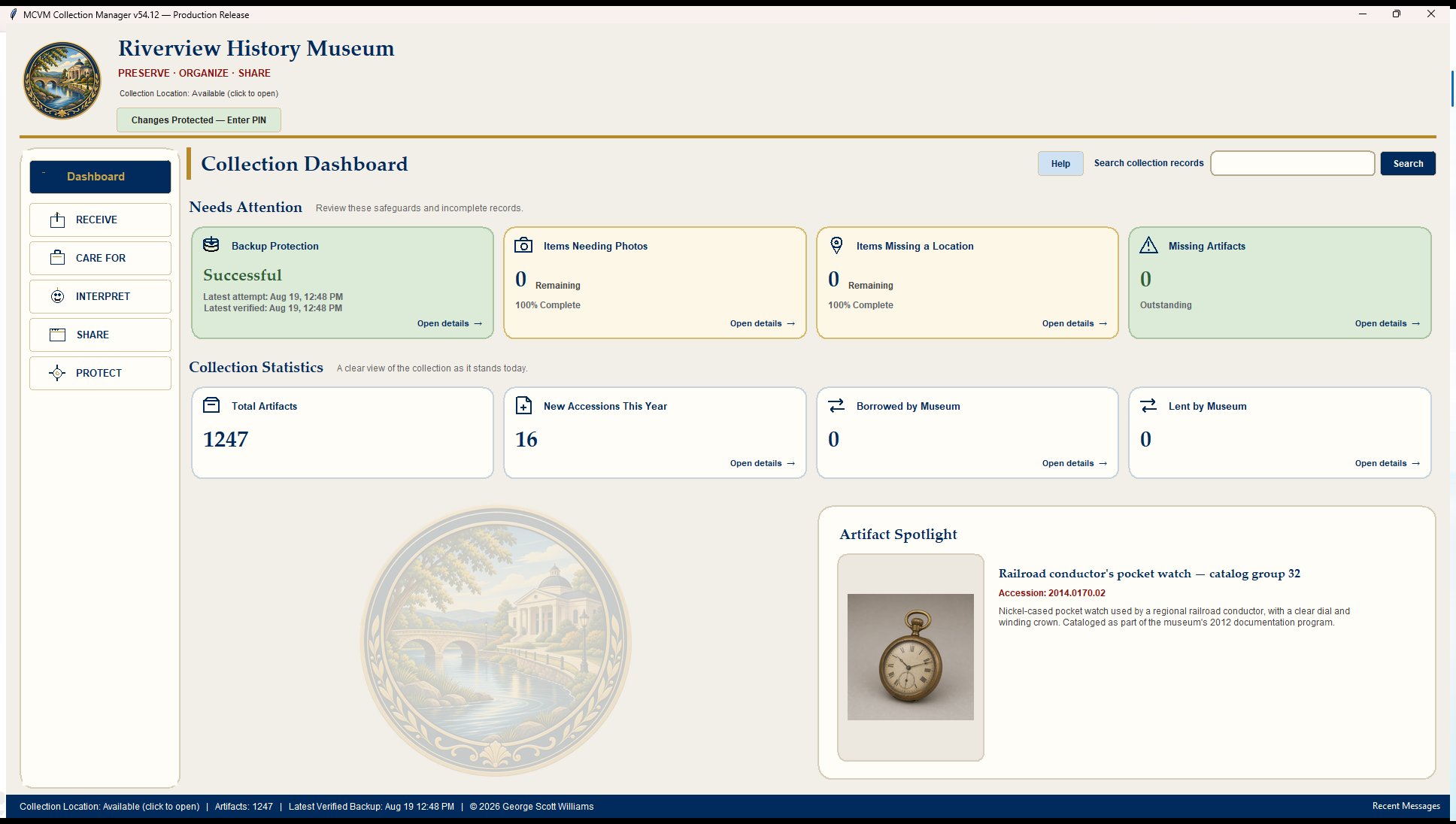 Current MCVM collection dashboard
See the product
These are current MCVM screens and finished outputs from the fictional Riverview demonstration collection.
Is MCVM for your museum?
MCVM is designed for museums, historical societies, and specialty collections where directors, staff, and volunteers may all take part in the work.
Why MCVM was created →You need one authoritative collectionkept on the museum's primary Windows computer.
You want staff and volunteers to helpwithout automatically giving them authority over permanent records.
You want understandable museum toolswithout depending on an enterprise IT department.
Bring your collection with you
MCVM supports qualified CatalogIt migration for collection records and media, PastPerfect collection-record migration, and guided CSV or spreadsheet migration.
See How Moving to MCVM Works →CatalogItQualified collection records and media
PastPerfectCollection records; qualified media migration is not yet claimed
CSV & spreadsheetsSupported migration path for existing collection data
MCVM preserves source meaning and uncertainty. It does not silently normalize identifiers, merge people, correct disputed facts, or invent missing history.What makes MCVM different
Staff and volunteers sign in with individual PINs and use a browser on the museum's network to search approved collection information and see their pending work.
People can prepare accession work under their own names. A supervisor reviews, corrects, accepts, or declines it before it joins the authoritative collection.
Take photographs from a phone on the museum's Wi-Fi. They arrive in Incoming Photos for human review before being attached to a record.
AI can suggest identification and wording. Museum staff decide what is accepted; suggestions do not silently become official facts.
MCVM Collection Manager 1.0
A short introduction to receiving, reviewing, documenting, protecting, and sharing a museum collection with MCVM.
Learn more
Preparing for release
MCVM is preparing for controlled outside-museum installations. Public purchasing and downloads are not yet open.